QR Code Generator
Quickly generate QR codes that are easy to create and fully customizable, personalize colors, branding, and data for your QR codes needs in just a few seconds.
Unlock the Power of QR Codes: A Comprehensive Guide
Discover how QR codes can revolutionize the way you share information, engage with customers, and streamline processes in today's digital landscape.
What Are QR Codes?
QR codes, short for Quick Response codes, are two-dimensional barcodes that can store a wealth of information accessible via scanning with a smartphone or QR code reader. Originating in Japan in the 1990s for tracking automotive parts, QR codes have evolved into a versatile tool used globally across various industries.
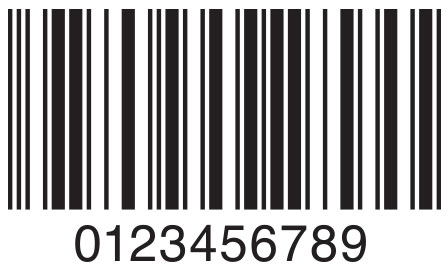
Unlike traditional barcodes, which store data horizontally, QR codes store data both horizontally and vertically, allowing them to hold significantly more information. They can encode URLs, contact information, Wi-Fi credentials, payment details, and much more, bridging the gap between the physical and digital worlds.
How Do QR Codes Work?
QR codes consist of black squares and dots arranged on a white grid. When scanned, these patterns are decoded to reveal the stored information. The data is then processed by the device's application, directing users to the intended content.
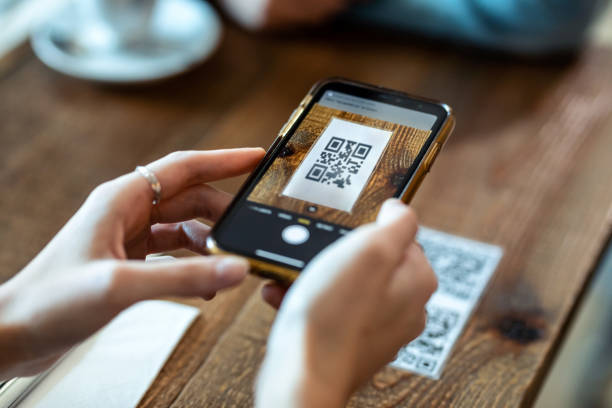
The scanning process is quick and efficient. Modern smartphones come equipped with built-in QR code scanners within their camera apps, eliminating the need for additional software. This ease of access contributes to the widespread adoption of QR codes.
Benefits of Using QR Codes
Easy Accessibility
Users can access information instantly by scanning QR codes with their smartphones, eliminating the need for manual input or searching.
Versatile Usage
QR codes can store various types of data, making them suitable for a wide range of applications across different industries.
Cost-Effective Solution
Creating and implementing QR codes is inexpensive, offering an affordable marketing and communication tool for businesses of all sizes.
How to Create a QR Code with Our Generator
Generating a custom QR code is simple and straightforward with our user-friendly generator. Follow these steps to create your own QR code in minutes.
Step 1
Select QR Code Type
Choose the type of content you wish to encode. Options include URLs, text messages, email addresses, phone numbers, Wi-Fi credentials, and more.
Step 2
Customize Design
Personalize your QR code by adjusting colors, adding your logo, and selecting a design that aligns with your brand identity.
Step 3
Download and Share
Once satisfied with the design, download your high-resolution QR code and integrate it into your marketing materials or digital platforms.
Popular Use Cases for QR Codes
QR codes are versatile tools that can enhance various aspects of business operations and personal projects. Here are some common applications:
Marketing and Advertising
Enhance your marketing campaigns by directing users to promotional content, special offers, or your website through QR codes.
Event Management
Streamline event check-ins, share schedules, and provide attendees with important information effortlessly.
Contactless Payments
Facilitate quick and secure payments by integrating QR codes with payment platforms like PayPal or cryptocurrency wallets.
Digital Business Cards
Share your contact information seamlessly, allowing others to save your details with a simple scan.
Wi-Fi Access
Provide guests with instant access to your Wi-Fi network without the hassle of typing passwords.
Product Packaging
Include QR codes on packaging to offer additional product information, user manuals, or promotional content.
Best Practices for QR Code Usage
To maximize the effectiveness of your QR codes, consider the following best practices:
Ensure Scannability
Place your QR codes in locations where they are easily visible and accessible. Avoid placing them on highly reflective surfaces or areas with poor lighting. Ensure the code is large enough to be scanned from a reasonable distance.
Use High-Contrast Colors
For optimal scanning, use colors that contrast well. A dark foreground on a light background is ideal. Avoid color combinations that may hinder the scanner's ability to read the code.
Provide a Clear Call to Action
Encourage users to scan your QR code by adding a call to action, such as "Scan to Learn More" or "Scan to Access Exclusive Content." This motivates users by informing them of the benefits of scanning.
Test Before Deployment
Always test your QR codes with multiple devices and scanning apps to ensure they work correctly. This helps you identify and fix any issues before your audience encounters them.
Monitor and Analyze Performance
Use tracking tools to monitor how often your QR codes are scanned. This data can provide valuable insights into user engagement and the effectiveness of your campaigns.
Keep Content Relevant
Ensure the content linked to your QR code remains up-to-date and relevant. Outdated or irrelevant content can lead to a poor user experience and diminish trust.
Start Creating Your Custom QR Code Today!
QR codes are powerful tools that can enhance user engagement, streamline processes, and provide valuable insights. Whether you're a business owner looking to boost your marketing efforts or an individual wanting to share information effortlessly, our QR code generator is here to help.
Take advantage of the versatility and convenience of QR codes. Begin creating your customized QR code now and connect with your audience like never before.
Generate Your QR Code Now